

- mammal identification
- wildlife
- animal tracks
- trail camera
- kids nature apps
- outdoor learning
Best Mammal Identification Apps in 2026: Photos, Tracks & More
The best mammal identification apps in 2026: Snappit for families, Seek, iNaturalist, Google Lens and track guides, plus tips for photos, trail cams and prints.
Mammals don't pose for photos. You get a squirrel streaking up a trunk, a blurry shape on the trail camera at 2 a.m., or a line of muddy footprints after rain. The best mammal identification app depends on which of those you've got.
The short answer: for families with kids, Snappit is our pick for clear photos of a visible animal, turning each find into a collectible card with kid-friendly facts. Seek is a free, no-account alternative. iNaturalist is the place to get community help on an uncertain sighting, and a regional track guide beats any app when all you have is footprints.
Which mammal ID tool fits what you found?
A sharp photo and a smudged footprint need different tools. Decide first: do you want a likely name, a record other people can review, or a family discovery to come back to?
| Tool | Best for | Double-check |
|---|---|---|
| Snappit | Kids snapping visible mammals and building a collection | That the photo shows enough to support the name |
| Seek by iNaturalist | Quick photo suggestions with no account | Whether the image shows enough features for the name |
| iNaturalist | Wildlife observations with community identifications | Photo quality, location privacy and whether reviewers agree |
| Regional track guide | Footprints and other signs | Print size, trail pattern, ground type and local species |
| Google Lens | Visual search from an existing image | Whether the linked page describes your animal, not just a look-alike |
No single tool covers every mammal. A kid photographing a giraffe at the zoo needs something very different from a volunteer sorting hundreds of infrared frames. For a quick start online, try our mammal photo guide, and for prints, the animal-track guide.
The best mammal identification apps and guides

Snappit: best mammal app for kids and families
We built Snappit so our own kids could snap a rabbit at the park or a red panda at the zoo and get an answer right away. Each find becomes a collectible card with a rarity tier and short facts a six-year-old can follow, and kids can complete collections, earn badges and tackle a daily discovery challenge. It handles plants, birds, insects and reptiles too, with a built-in field guide of 9,000+ species.
Zoo days are where it really shines: Snappit has guides for thousands of parks, zoos and aquariums with checklists of animals to spot, so your child can choose a mission before you leave home and tick off each mammal they snap. Everything stays in a private family collection, with no ads, chat or social feed. It's free to download with free identifications every day and an optional subscription for unlimited snaps. Find it on the App Store and Google Play.
After the outing, reopen a card and compare the ears, tail or habitat with what you saw. For a tricky wild species, treat the name as a starting point and look for more evidence. Kids who want more can try Snap Quiz or Snap Spelling, separate companion apps for more nature play.
Seek by iNaturalist: best free option with no account
Seek gives camera-based wildlife suggestions without registration for its basic features, which makes it easy for a well-lit, visible mammal. iNaturalist confirms that Seek and iNaturalist are free to use.
A distant rodent might only get a broad group name, and that's fine. Sharing to iNaturalist is optional and separate; read the Seek privacy policy before turning it on.
iNaturalist: best for community help on tricky sightings
iNaturalist pairs your observations with identifications from its community. Attach several photos, describe the encounter and check back as people respond. Replies and exact species IDs aren't guaranteed.
Its observation guidance includes recent evidence like tracks or scat. Combine photos of the same animal from one encounter into one observation, and mark pets and zoo animals as captive, as the platform's guidance explains. A parent or teacher should handle account and sharing settings for kids.
Regional track guides: best for footprints, no app needed
A good regional guide shows track drawings, measurements, gait patterns and look-alike species. Pick one with a clear geographic scope and a scale, not a gallery of unlabeled paw prints. A printed copy works anywhere, signal or not.
For example, the National Park Service's White Sands wildlife-track guide covers that park's mammals and notes that some fox and coyote prints look like dog tracks. It's a guide to one place, not a worldwide key.
Google Lens: best for finding supporting sources
Google Lens searches from your camera or a saved image, which helps you find pages about the animal you photographed. Open the result and compare the description, range and photos; a similar-looking picture isn't confirmation. It's not built for keeping wildlife records.
Tips for better mammal photos and trail camera images

Get the features that matter
From a safe spot, aim for the whole body, the face in profile, ears, feet and tail. Take another angle only if the animal stays in view without being followed. Keep the original along with any crop, and note the date, rough location, habitat and what the animal was doing. Body shape and markings usually help more than a guess at size.
If the app suggests a mouse, vole or shrew, ask whether you can really see the snout, ears and tail. If not, "small rodent" is a better record than a precise guess. And check a regional guide: a matching coat doesn't mean the species lives where you saw it.
Review the whole camera sequence
Infrared strips out coat colors, and motion blur can hide the head or tail. Save the sharpest frames from each visit, ideally including a side view. Keep the original timestamps, and don't count every frame as a different animal.
Consumer apps work picture by picture; they aren't built for bulk camera-trap surveys. If you're running a big survey, plan how you'll group events, check uncertain detections and record decisions before choosing specialist software. Sometimes a pair of glowing eyes just stays unidentified.
Heading somewhere without signal? Test the exact tasks on your phone first. Taking a photo, viewing downloaded references, getting suggestions and uploading are different features. Bring a local guide and save photos to check later.
How to identify animal tracks without guessing

One footprint often can't tell a dog from a fox. Track detective work is a great kids' project, so make a little evidence kit:
- Photograph a clear print straight from above with a ruler or other known object beside it.
- Take a wider shot showing several prints in a row and their spacing.
- Note the ground, the weather, the location and whether the edges look fresh or worn.
- Compare toe arrangement, pad shape, claws or hooves and the movement pattern with a regional guide.
- Write down every possibility the clues can't rule out.
Don't treat one missing claw mark as proof of a cat, or a melted snow print as an exact foot size. Photograph droppings and other signs where they are without touching them. "Probably a canine" is a perfectly good answer.
The track guide explains what to record, and the mammal guide helps compare body shapes. These cards are reference examples, not proof those animals live near you.
Mammals to compare by shape and features
Explore the field guide →








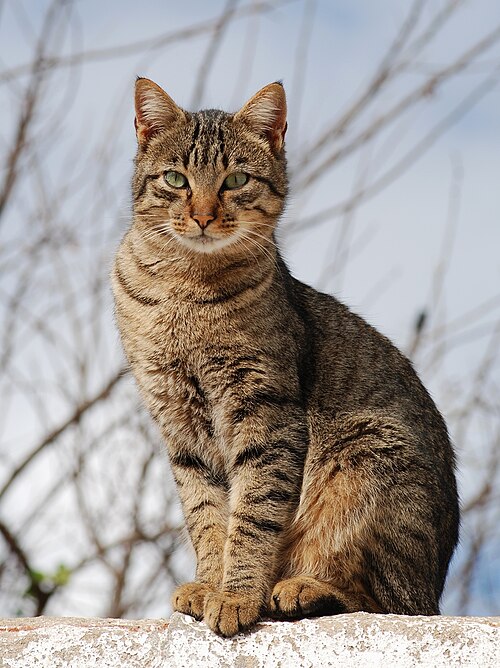

Plan a family mammal-spotting outing

Pick a familiar park or trail and one question: "What can we notice about a mammal's tail or how it moves?" Browse the place directory for ideas, then check the venue's own access rules. The cards below are places to explore, not guaranteed sightings.
Parks for your next mammal-spotting walk

Wyoming, US
John D. Rockefeller, Jr. Memorial Parkway
You might spot Moose, Mule Deer, and American Bison.
View guide →

Bayern, DE
Bavarian Forest National Park
You might spot European Lynx, Gray Wolf, and Brown Bear.
View guide →
On the walk, one grown-up handles the phone while your child watches or sketches. Afterward, pick one photo, open it in Snappit and compare the card with your notes. Keep facts and guesses separate: "long tail visible" is an observation, "probably a fox" is a guess. Our family nature-journal guide has more ideas.
The safety part, once: follow the site's wildlife rules, keep your distance and use zoom instead of walking closer. Never feed or lure animals for a better shot, keep pets under control and leave young animals and dens alone. The National Park Service's wildlife-watching advice explains why space matters.
If you post sightings publicly, check photo and location settings first, especially near home. iNaturalist's geoprivacy guidance explains obscured and private locations and notes that backgrounds can still give clues. Point any permitted trail camera away from private areas and follow the landowner's rules.
Frequently asked questions
Can a mammal app identify an animal from fur or eyeshine alone?
Not reliably. Keep the image, but look for a clearer frame, more context or other evidence. "Unidentified mammal" is a fine answer.
Can I use mammal ID apps at the zoo?
Yes, and kids love it. Snappit's zoo guides even give you a checklist of animals to find. Compare suggestions with the enclosure sign, and angle your phone against the glass to cut reflections. If you upload to iNaturalist, mark the animal as captive.
Which mammal identification app should I try first?
For kids and families, start with Snappit for photo IDs and a collection to build. Use Seek for quick account-free suggestions, iNaturalist for community help and a regional guide for tracks. What you found matters more than picking one winner.