

- animal identification
- kids
- family
- animal ID app
- nature apps
- outdoor learning
- wildlife
Best Animal Identification Apps for Kids in 2026
The best animal identification apps for kids in 2026: Snappit, Seek, Merlin, iNaturalist and Google Lens compared for family walks, privacy and offline use.
A squirrel freezes on the fence, your kid gasps, and suddenly every walk is a wildlife safari. The best animal identification app for kids is the one that keeps that excitement going after the first squirrel, with a quick answer, a fun fact and a reason to find the next animal.
Our quick picks: Snappit is the best all-round animal ID app for families, turning every find into a collectible card in a private, ad-free collection. Seek is a solid free, no-account starter. Merlin is the specialist for birds, especially bird songs. iNaturalist adds community feedback for older kids, and Google Lens works as a grown-up's backup.
Animal ID apps for kids compared
| App | What it does best for families | Accounts and sharing | Keep in mind |
|---|---|---|---|
| Snappit | Snap animals, plants and bugs; collect cards, badges and daily challenges | Private family collection; no ads, chat or social feed | Free daily IDs; optional subscription for unlimited snaps |
| Seek | Live-camera exploration of animals, plants and fungi | No account needed; optional iNaturalist sharing is separate | Doesn't always reach a species-level result |
| Merlin Bird ID | Bird photos and bird song suggestions | An adult can manage setup and saved records | Birds only; Sound ID coverage varies by region |
| iNaturalist | Recording observations for community review | Public records; think about account and location settings | More reading and follow-up than a quick identifier |
| Google Lens | Visual matches and related web pages | An adult should choose which results to open | General web search can pull kids off-task |
Before installing anything, check the current store listing on your device for languages and paid features. A store age rating doesn't mean your child can read every result alone, so try the camera, results and permission prompts together first.
The 5 best animal identification apps for family walks

Snappit: best animal ID app for kids and families
We made Snappit for our own kids, ages roughly 4 to 10, exploring with a grown-up. Point the camera at a squirrel, duck, butterfly or lizard and Snappit suggests what it is. Then the fun part: the find becomes a collectible card with a rarity tier, and the facts are short and friendly enough for a six-year-old to read (or a four-year-old to hear aloud). Kids earn badges, complete collections and get a new discovery challenge every day.
It's not just animals, either. Snappit also covers plants, trees, flowers, fish, fungi and more, with a built-in field guide of 9,000+ species. Before a zoo or park trip, open its guide to see a checklist of what lives there and let your kid pick a mission; every snap ticks one off. Everything stays in a private family collection and discovery map, with no ads, no chat and no strangers. It's free to download with free identifications every day. Get it on Android or iOS.
Want to keep learning at home? The Snap learning apps add spelling, reading and quiz activities; they're separate apps, so photos don't carry over automatically.
Seek: best free starter with no account
Seek by iNaturalist combines live-camera suggestions with badges and challenges. Its official comparison with iNaturalist explains that it needs no account, keeps exploration private and works offline. Posting to iNaturalist is optional.
It's handy on a mixed walk: a beetle, then a duck, then a plant by the path. If it stops at a family or genus, that's fine. Fast-moving or faraway animals are tough for any app.
Merlin: best for birds and bird songs
Merlin Bird ID offers Photo ID and Sound ID. Cornell suggests comparing each suggestion with reference photos or recordings. Sound ID works offline, though it doesn't cover every bird in every region. Since Snappit doesn't identify songs, the two make a great pair: Merlin for what you hear, Snappit for what you see.
Before a trip, set your location and download your region in My Offline Birds. Sound ID works separately from those downloads. Let your child listen first, then use the recording as another clue. Don't play calls to attract birds.
iNaturalist: best for older kids who want real feedback
iNaturalist lets families document an animal and invite identifications from the community. Observations are public, so check what the photo, time and location reveal before posting.
Kids under 13 need the parent or guardian consent procedure for their own account. Many families run a shared project from a parent's account instead. Community replies can take a while and aren't guaranteed.
Google Lens: a grown-up's backup
Google Lens finds visually similar plants and animals and links to related web pages. It's useful if it's already on your phone, but it isn't a kids' field guide. Open a trustworthy source, check the animal's range and habitat, and skip any confident match that doesn't look like your photo.
Matching the app to your child's age and reading level

Not reading yet? You hold the phone; your child picks what to look at. Ask for one clue: a long tail, spotted wings or six legs. Read the Snappit facts aloud and let them choose where the card goes in the collection.
Early readers can compare two possible matches, read a short fact and explain why one fits better. Kids who love projects might keep dates, habitat notes and unanswered questions in a journal. Move between these whenever your child is ready; there's no fixed age.
Check the interface language and the names used for local animals, too. A translated menu doesn't always mean every species description is translated. Snappit's iOS listing includes English, Spanish, German and Japanese. Our guides for Spanish speakers, German speakers and Japanese speakers go deeper.
Warm up with familiar faces in the animal field guide, then zoom in on birds or insects. These cards are reference examples, not a forecast of what's in your park.
Animals to spot and compare before your walk
Explore the field guide →













Parent setup checklist and a park activity

Five minutes of setup before you leave
- Install one main app and review camera, microphone and location requests. Allow only what you need.
- Check paid upgrades and your phone's purchase controls, plus whether the app involves an account, public posting or social features.
- Snap a test photo at home. If you'll be offline, try that exact task without a connection and download anything you need first.
- Decide what stays private. Keep children's faces, name badges, home details and school signs out of any public posts.
Try the spot, snap, share game
Pick a familiar park with a short loop and a bench. Give your child one mission: find an animal with wings, or spot two animals moving in different ways. Stay on the paths and give wildlife plenty of space. A name on a screen never means it's okay to touch or feed an animal.
Snap a photo when it's easy, and notice one thing a close-up can't show: how big it was, where it lived or what it was doing. Compare the result with what you saw. If you're not sure, save it as "maybe a mallard." Finish by drawing the find or telling Grandma about it. Nothing showed up? Flip through field-guide cards and try again another day.
The local park guide has more outing ideas, and you can start a family nature journal to keep the habit going. Check each venue's hours and rules before visiting.
Parks for a family wildlife walk
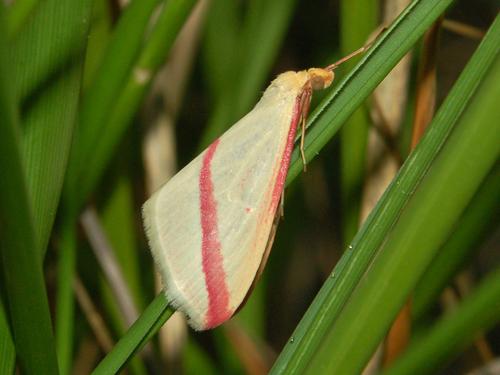
Spain, ES
Jardín del Turia
You might spot Vestal, Collared Dove, and Common Blackbird.
View guide →

Andalusia, ES
Doñana National Park
You might spot Green Hairstreak, Natterjack Toad, and Lobed Argiope.
View guide →
Frequently Asked Questions
What's the best animal identification app for kids?
Snappit is our top pick for kids because it identifies animals, plants and bugs in one app and turns each find into a collectible card, with no ads or social feed. Merlin is the best free choice if your child mainly loves birds.
Which free app should we try first?
Snappit and Seek are both free to start: Snappit gives free identifications every day and a collection to build, while Seek needs no account at all. Merlin is free and best for birds. Check store availability for your device.
Are animal identification apps safe for children?
They can be, if you check each app's permissions, sharing settings and purchase options first. Look for apps without ads, chat or public feeds, and stay involved. An ID result never tells you whether an animal is safe to approach.
What should we do when the app is wrong?
Keep the photo, compare visible features and habitat, and use a broader name like "duck" if needed. An unsolved find makes a great question for a field guide, museum educator or supervised community project.