



Pear
Upload a fruit photo and we'll compare its shape, skin, stem end and leaves, from everyday produce to oddballs. Then explore it in the Snappit field guide.

Identify and collect plants and mushrooms with your phone.


Drag a photo here, or choose one below.
JPG, PNG or WebP · Up to 10 MB

Photograph fruit still attached to its plant with leaves in view. For a market fruit, show the whole outside rather than just a cut half.



Compare the suggested name with what you see in your photo. Then open its field-guide entry for fun facts and look-alikes to rule out.

Browse the field guide here, or save your finds as collectible cards in the Snappit app. Build collections and learn something new together.
From the Snappit field guide: orchard favorites, tropical oddballs and the fruits kids point at in the grocery aisle. Open a card for a closer look.
A mystery fruit at the market has usually lost its leaves and label, leaving the skin, outline and stem end as your best clues. Fruit still on the plant gives you more to work with. Ripeness changes color and shape, so compare several features before you decide what it is.

Start with the outline. Is it round, flattened, egg-shaped, long, or necked like many pears? Then see how it attaches: alone or in clusters, on a short thick stem or a long thin one. Put those together and you can often narrow the fruit group fast.

Skin texture can split close look-alikes. Fuzzy skin points to a peach, while the same fruit without fuzz is a nectarine, and citrus rinds range from thin and tight to thick, bumpy or loose and pebbly. Don't trust shine too much, since store fruit is often waxed or polished.

Check both ends if you can. The stem end may sit in a deep dimple, a flat top or a narrow neck. The blossom end may keep a calyx, that little star of dried flower parts, or just a scar. These small details often tell you more than color does.

Fruit on the plant comes with leaves, and that's extra evidence a loose fruit has lost. Leaf shape, edges and arrangement on the stem can separate fruits with similar skins. One attached leaf or a clear view of where the fruit joins the branch can beat a second distant shot.
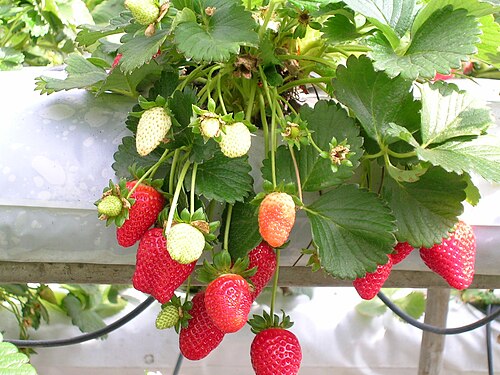
Compare real field-guide examples: Pear · Strawberry · Tomato

Fuzzy skin strongly suggests a peach, while a smooth-skinned peach is a nectarine (same species, just without the fuzz). Apricots have a fainter velvet, and plums are smooth with a dusty bloom. Small apricots and some plums overlap in size and color, so check shape and the seam down the side too.

Oranges, mandarins, tangerines, lemons, limes and their relatives are hard to split on color and roundness alone, and limes turn yellow as they ripen. Look at rind thickness, pore size, flattened or pointed ends, and whether there's a neck. Leaves and how the fruit clusters on the branch help too.

Plenty of fruits are pear-shaped, including some avocados and mangoes, so the silhouette isn't enough. A true pear usually has a narrower stem end, fine speckles on the skin, and a blossom end that often keeps a visible calyx. Check the surface and the ends before you trust the outline.

Unripe fruit is often greener, firmer-looking and less full at the shoulders, but how much it changes depends on the fruit. Some color up dramatically, while others stay green or barely shift. Shape, skin texture and the stem or blossom end are steadier clues than color.
Handling changes things too. Market fruit may be waxed, chilled, bruised or scuffed, and cut fruit browns in the air. A photo can help name the fruit, but it can't tell you whether it's sweet, fresh or safe to eat.

Fruit on the plant gives you clues beyond the fruit itself. The branch or vine, the length and angle of the stem, whether fruits hang alone or in clusters, and the nearby leaves can separate candidates that look almost identical on a grocery shelf.
If you took a few shots, pick the clearest one that shows both the fruit and where it attaches. Keep the fruit big enough in the frame to see its skin texture, while leaving room for a leaf or two if they help tell the story.
Fill most of the frame with one fruit, and include the stem end or blossom end when you can. A plain background makes the skin texture easier to see.

For fruit on a plant, aim for one sharp shot that shows the fruit, where it attaches and at least one nearby leaf, without making the fruit tiny.

If the fruit is already cut or peeled, pick a photo where some outer skin still shows. The inside helps most when you can see the outside next to it.
Take a clear photo of one whole fruit with the skin showing and, if you can, one end facing the camera. A plain background helps. Market fruit is often polished, stickered or packed tightly together, so a single fruit on its own gives the clearest result.
Often, yes, and fruit on the plant can be easier than a loose one. How it hangs, whether it grows alone or in clusters, and the leaves and stem nearby all narrow the options. Fruit high up and far away is harder, because texture and end details disappear.
Usually the general type, yes. Unripe fruit can look smaller, greener and more angular than ripe fruit, so the exact variety gets harder. When color is misleading, shape, skin texture and the stem or blossom end carry more weight.
Yes, if it's already cut: segments, a pit, seed patterns or hollow centers are all useful. The outside still matters, though. Flesh can brown in the air or look different under kitchen lights, so the best single photo shows peel and inside together.
Sometimes, for very distinctive varieties, but many cultivars overlap in shape, color and skin markings. Pears, apples, citrus, mangoes and plums are classic examples. A photo is much better at naming the type of fruit than a specific named variety.
No, don't use a photo result to decide whether to eat something. Different fruits can look alike, and a picture can't show toxins, hidden spoilage or how the fruit was handled. At a market, ask the seller or check the label. If you found it outdoors, don't eat it on looks alone.
Yes. Snappit for iPhone and Android identifies fruit, trees and flowers from a photo and turns each find into a collectible card with a rarity tier and short, kid-friendly facts. Finds stay in a private family collection, with no ads or chat. It's free to download with free IDs every day; a subscription unlocks unlimited snaps.
Mostly the everyday kitchen sense: apples, citrus, berries, melons, tropical fruits and the like. Botanically, a fruit is the seed-bearing part that grows from a flower's ovary, which also covers tomatoes, cucumbers and peppers that we call vegetables. For photo ID, what you can see matters more than the label.
The Snappit appAges 4+ · No ads
Take what you learn here into Snappit and turn your next walk or day out into a shared adventure.
Save your discoveries as collectible cards in the app, with rarity tiers and themed collections to explore.
Short, friendly facts give young readers something to notice, ask about, and remember. The app is made for ages 4 and up, without ads.
Discover new collection themes, try the daily discovery, and earn badges as you keep exploring together.


Open a place guide to see its species checklist and plan what to look for on your next visit.

Washington, US
You might spot Salmonberry.
View guide →

California, US
You might spot Salmonberry.
View guide →
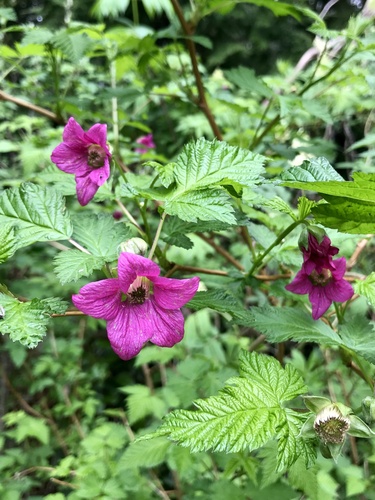
Washington, US
You might spot Salmonberry.
View guide →