

- zoo apps
- zoo apps for kids
- zoo scavenger hunt
- family outings
- animal identification
- zoo activities
Best Zoo Apps for Kids in 2026: Maps, Missions and More
The best zoo apps for kids in 2026: Snappit for animal missions and collections, official zoo maps, Seek, plus a six-stop mission and a calm three-hour plan.
The best zoo apps for kids do two different jobs: one gets you to the giraffes (and the nearest bathroom), the other makes the giraffes unforgettable. For most families that means your zoo's official app or map for logistics plus Snappit for animal missions, IDs and a collection your kid will want to look at again. Add Seek or a browser animal guide if you want extras.
Here's what each one does well, a six-stop mission that works at any zoo, and a relaxed three-hour plan for the day.
Zoo apps for kids: the quick comparison
Start with your zoo's own website for today's opening hours, closed habitats and keeper talk times. Then think about what your kid will actually love doing: watching, snapping, drawing or ticking animals off a list.
| Tool | Best for | Keep in mind | Before you go |
|---|---|---|---|
| Snappit | Animal missions, photo IDs, collectible cards and a family collection | Animals on view are up to the zoo on the day | Open your zoo's guide and pick a mission together |
| Official zoo app | On-site map, facilities and that zoo's schedule | Each one covers its own zoo only | Download from the zoo's own link |
| Seek by iNaturalist | Camera suggestions and badges, no account needed | Not a zoo map or ticket wallet | Try it on a plant near home |
| San Diego Zoo Wildlife Explorers website | Animal stories and activities in a browser | Doesn't navigate your local zoo | Pick one animal page to read after |
| A travel map app | Getting to the entrance and parking | Paths inside the zoo may be missing | Confirm the entrance with the zoo |
| Paper map and six-item list | Shared navigation and a screen-light mission | Check notices for same-day changes | Grab a map at the gate or print one |
You don't need all of these. An official map plus Snappit covers most zoo days nicely.
Official zoo apps: maps, schedules and bathrooms

San Diego Zoo app
The zoo describes a GPS-enabled map, a day planner, the day's schedule and a digital wallet for tickets and memberships. You'll find iOS and Android links on its official visit page. It's built for San Diego Zoo specifically, and the Zoo and Safari Park are separate destinations, so make sure you're looking at the right one.
Chester Zoo app
Chester Zoo's official app page describes animal search, directions, wildlife facts, toilet locations and reminders for talks, plus a printable map. It's a nice UK example of a venue app that pairs well with an animal mission.
What if your zoo doesn't have an app?
Its mobile site, PDF map and entrance boards usually cover the basics: hours, accessibility, rest areas and talk times. If you're pushing a stroller or using a wheelchair, check the zoo's access map or ask staff rather than trusting the shortest route on a phone.
Save a map or screenshot before you leave home and test it in airplane mode, since maps, GPS, live schedules and ticket wallets don't all work offline. Keep tickets where the zoo recommends, and save some battery for the drive home.
Animal ID apps, collections and reading

Snappit: the zoo app kids ask to open
Snappit is the app we built for our own kids, and zoo days are some of their favorites. Before you leave, open the guide for your zoo: Snappit has guides for thousands of zoos, aquariums and parks, each with a checklist of animals you might spot. Your kid picks a mission over breakfast ("find three big cats and something with scales"), and every animal you snap ticks off the list.
Each find becomes a collectible card with a rarity tier, short facts written for young readers, and a place in your private family collection. Kids love completing collections and earning badges, and the cards are a great way to relive the day on the drive home. The same app works on the ducks by the pond and the bugs near the picnic tables too.
There are no ads, no chat and no public feed, and most families use a parent's phone together, which fits the zoo perfectly. Snappit is free with free identifications every day; an optional subscription unlocks unlimited snaps. Get it on iOS or Android. Our zoo scavenger hunt page has more mission ideas, and you can browse all the place guides.
A quick tip: glass, distance and a snoozing animal can throw off any photo ID, so make "snap, then read the sign" part of the game.
Seek: a handy camera companion
Seek by iNaturalist offers image-recognition suggestions, badges and challenges. iNaturalist's official comparison says Seek needs no account and its core observations can work without internet. It's built around local wildlife, so it's often happiest with the wild insects and plants along the zoo paths.
Browser reading and field-guide cards
San Diego Zoo Wildlife Explorers has animal pages, stories and activities that make a lovely before-or-after read. Choose a page about an animal your child actually watched and compare it with what they noticed.
Our animal identification guide is great for practicing body shapes, coverings and markings before you go. The cards below are examples to browse, not a list of who lives at your zoo.
Animal cards to explore before your zoo day
Explore the field guide →













A six-stop zoo scavenger hunt that works anywhere

Instead of promising to see every favorite animal, give your kid six things to do. A closed habitat or sleeping lion won't wreck the day, because there's always another stop. Use these with a notebook, a paper list or alongside your Snappit mission:
- Body covering: find an animal with fur, feathers or scales and describe it.
- Movement: watch something walk, swim, climb or rest. Napping totally counts.
- Habitat: spot water, shade, branches or a shelter. Which part is the animal using?
- Compare two: pick two animals and name one thing that's the same and one that's different.
- Ask a keeper: bring a question about something you saw to a talk or a staff member.
- Keep a memory: sketch or snap one favorite from the visitor side.
Let kids swap a task, dictate a note or draw instead of writing. Grown-ups can handle the map and phone while kids choose what to watch.
The one rule worth saying out loud before you start: stay behind barriers, don't tap the glass or feed the animals, and turn flash off where the zoo asks. Ask before photographing other people's kids.
A relaxed three-hour zoo day plan

Use this as a loose rhythm, and bend it around weather, naps, snacks and whichever animals are actually out.
| Part of the visit | Family action | Phone's job |
|---|---|---|
| Before entry | Pick two must-see habitats and find a rest stop | Tickets, official map, today's Snappit mission |
| First 45–60 minutes | Watch two or three nearby habitats | Quick directions; snap after watching |
| Middle break | Water, snack, bathroom; decide whether to keep going | Check today's talk times |
| Next 45–60 minutes | A shorter loop or one keeper talk | Read a card fact or note a question |
| Final 15–20 minutes | Sit down and share a favorite discovery | Flip through the new cards together |
If the penguins hide, "a penguin that kept diving" is still a great note. At home, pick one card, photo or drawing to talk about instead of sorting the whole camera roll.
Find your destination in the venue guides, then confirm current details on the zoo's official site. Planning a class trip? Our zoo field-trip guide goes deeper.
Zoo guides to explore before your visit
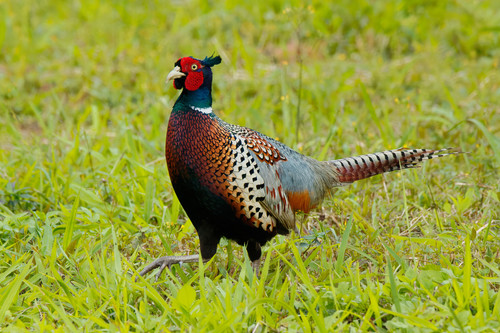
England, UK
Knowsley Safari Park
You might spot Ring-Necked Pheasant, Goose, and Eurasian Coot.
View guide →

Saxony, DE
Naturschutz-Tierpark Görlitz
You might spot Red Panda, Yak, and Domestic Bactrian Camel.
View guide →
Frequently asked questions
What's the best zoo app for kids?
For most families, Snappit plus the zoo's official map. Snappit gives kids a mission, photo IDs and collectible animal cards; the official app or map handles routes, bathrooms and schedules.
Do we need the official app and a discovery app?
Only if both earn their spot. The official app or map covers routes and the day's schedule, and Snappit makes the animals themselves the adventure. A paper map can stand in for the official app at many zoos.
Which zoo app is best for young children?
Pick by how your child likes to explore. Snappit is rated 4+ and designed for kids around 4 to 10 exploring with a grown-up, and its facts are easy to read aloud. Picture prompts and drawing also work well before kids can read.
Will these apps work offline?
It depends on the feature. Test saved maps and any offline identification at home first, and don't count on live schedules, ticket wallets or cloud photo processing without signal. A paper map is a smart backup.
What if our zoo isn't in Snappit's guides?
You can still snap animals and build your collection; the guides just add a ready-made checklist. Use the zoo's own website for visit planning and make your own mission from the six stops above.