

- field trip apps
- teachers
- zoo
- aquarium
- parks
- education
- scavenger hunt
- chaperones
Best Apps for Zoo & Park Field Trips: Teacher and Parent Guide
Field trip apps for zoos, aquariums and parks: how teachers and parents pick tools like Snappit, run missions, brief chaperones and keep a paper backup ready.
The best field trip apps for a zoo, aquarium or park give kids something to notice, record and talk about, without turning the day into a screen-staring contest. For most teachers, homeschool groups and parent organizers, the winning setup is small: the venue's official map, a paper mission sheet, and one kid-friendly app like Snappit on an adult's phone. Snappit has guides for thousands of zoos, aquariums and parks with checklists of what you can spot, so kids can pick their mission before the bus even leaves. Here's how to choose your toolkit and run a trip that actually sticks.
Choose field trip apps by the job they need to do
Start with the venue's official website, map and education resources. If the venue has its own app and it solves a real need, great. Opening times, closures, group admission and accessibility details should always come straight from the venue.
| Job | Best tool | Check before the trip |
|---|---|---|
| Observation mission | Snappit or a paper checklist | Device policy, setup and that the venue's checklist is listed |
| Route and meeting points | Official map, saved PDF or printed copy | Entrances, accessible routes, restrooms and closures |
| Wild nature ID | Seek by iNaturalist | Install and test on the actual device before you go |
| Plant comparison | Pl@ntNet and garden labels | Plant coverage and whether the mode you need works offline |
| Evidence and discussion | Sketches, quick notes or approved exhibit photos | Who stores the work and whether photos can be shared |
Snappit shines on the observation job. A chaperone snaps an animal, and the group gets a suggested ID, a few facts written for young readers and a collectible card that ticks the species off the venue checklist. Finds stay in a private collection rather than going to a public community, and there are no ads, chat or social feeds. It's free to download with free identifications every day; an optional subscription unlocks unlimited snaps.
Seek's official comparison with iNaturalist explains that Seek works without an account or internet connection and keeps observations on the device when you don't sign in. Public iNaturalist participation is a separate workflow, so don't present a private Seek activity as an iNaturalist class project.
Paper is a complete option on its own, especially where phones aren't allowed. One shared adult device can add photos and IDs without making every student responsible for an account, a purchase or a phone.
Match the mission to the venue

Zoos: compare traits instead of racing through a list
Plan a few core stops plus backups. Ask students to compare a bird's bill with a mammal's teeth as shown on the exhibit sign, or to describe how two animals move. Snappit's zoo scavenger hunt adds photo ID and collectible cards wherever photography and devices are allowed. Glass, distance and several animals in one frame can trip up any ID app, so have kids check the suggestion against the sign or ask a keeper.
If your venue is in the Snappit place guides, use its checklist to prep. It's a planning tool rather than a live list of who's on exhibit today, so confirm key stops on the official map and let "not out today" count as a real observation.
Browse zoo guides for your trip shortlist
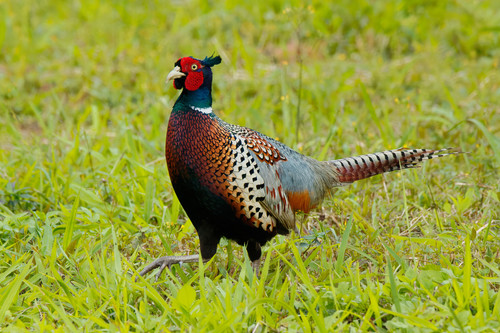
England, UK
Knowsley Safari Park
You might spot Ring-Necked Pheasant, Goose, and Eurasian Coot.
View guide →

Saxony, DE
Naturschutz-Tierpark Görlitz
You might spot Red Panda, Yak, and Domestic Bactrian Camel.
View guide →
Aquariums: make low light work for you
Try tasks like comparing fins, watching swimming patterns or sketching a body outline. Read the photo rules before you go in; Monterey Bay Aquarium asks visitors to turn off flash, for example, and your venue will have its own. Pair our aquarium scavenger hunt ideas with a sketch option for when a photo won't work. At touch pools, follow staff instructions.
Parks and gardens: hunt for things kids can actually find
In a park, go for "two different leaf shapes" or "a bird using a tree" rather than a rare species. Stay on paths and look without collecting or handling anything. Pl@ntNet identifies plants from photos, and Snappit covers plants, insects, birds and fungi in one app. In a botanical garden, plant labels are your answer key, and they'll tell you when a plant is a named cultivar. The plant guide and park scavenger hunt guide are good starting points. Remind kids that no app result means a plant is safe to eat.
Prepare a route, a backup plan and accessible activities

Start planning when you book, and use the last 48 hours to confirm details.
- Confirm the visit. Check booking, arrival, adult requirements, school policies, transport and the venue's current group guidance. Arrange individual support through your usual school or group process.
- Pick one big question. For example: "How do body features help animals live in their habitat?" Choose three core stops with backups, plus restrooms, rest, lunch and a meeting point. Adjust the route for your group's age.
- Plan access with participants. Ask about step-free routes, seating, sensory needs, communication and how kids prefer to answer: pointing, speaking, drawing or writing. Large-print or picture prompts help many kids, and it's worth checking that any app you use supports the languages and accessibility features your group needs.
- Test your toolkit. Update apps, run through the exact activity, check camera permissions and school approval, and know your free-use limits. Save the official map and mission sheet to the device, then test them with no signal. Identification and venue features may need a connection.
- Pack a full paper backup. Bring the route, contact plan, prompts, pencils and an approved way to record work. A dead battery or a hiding animal should change the plan, not end the activity.
Preview animal groups in class with the animal identification guide. Kids can practice comparisons before they see the real thing.
Preview animal groups before the trip
Explore the field guide →










Brief chaperones on roles, safety and photo privacy

Follow your school or group's approved supervision plan and the venue's own requirements; ratios vary by venue and booking. San Diego Zoo publishes school-group requirements, and Monterey Bay Aquarium publishes its own field-trip guidance. Check the policy for your booking and plan for any individual support needs.
A one-page chaperone briefing to fill in before you leave
- Group and adult: assigned students ___; responsible adult ___; lead contact ___.
- Route: core stops ___; backups ___; restroom and rest plan ___.
- Meet: location ___; time ___; what to do if someone gets separated ___.
- Supervise: keep the group together and use the approved headcount and handover steps. If someone is missing, follow the agreed school and venue procedure rather than starting your own search.
- Respect the animals: follow signs and staff; no tapping glass, feeding animals, climbing barriers or leaving paths.
- Devices: adult-approved exhibit photos only where allowed; phone away while walking and supervising.
Share sensitive contact or support details only with the adults who need them, through an approved channel.
For photos, follow school consent and storage rules plus venue policy. Keep other visitors, student names and identifying details out of exhibit shots. Obscuring a location doesn't make a public post private. If your approved activity uploads to iNaturalist, review its account and sharing rules and mark zoo animals and planted specimens as captive or cultivated where appropriate. A paper record or a private Snappit collection is all this activity needs.
Run a quick observation routine at every stop

Use the same four steps at each stop:
- Notice: look before any screen comes out. What's moving? What stands out?
- Record: one sketch, short note, spoken answer or permitted photo. Rotate roles so the same kid isn't always the photographer.
- Check: compare with the exhibit sign, a keeper's explanation or the app's suggestion. "Not sure" is a fine answer.
- Explain: share one claim and the observation behind it. "I saw it resting" is different from "the sign says it's nocturnal."
For example, students can sketch a bird's curved bill, compare it with the diet on the sign and ask what else they'd want to know. One sleepy animal doesn't tell you its whole daily routine, and an enclosure isn't its whole wild habitat.
If an exhibit is closed or packed, switch to a backup or discuss the sign. Skip prizes for speed, most photos or exact species names. A careful comparison and a good question are the real wins.
Follow up back at school with a nearby nature walk

Back in class or at home, ask for three quick responses: one thing I noticed, one fact I checked and one question I still have. Kids can draw, dictate or write. Revisit any uncertain IDs together instead of treating the app's first answer as final.
Sort a few approved photos or sketches into mammals, birds, reptiles, fish and plants, and talk about which features support each group. If conservation comes up, use the venue's own education materials for species facts.
Then take the method outside: on a short park visit, compare a common bird's bill or two leaves using the same notice, record, check, explain routine. Families can keep going at home with Snappit, snapping backyard birds and park trees into the same collection that started at the zoo. Check each park's own information before going, and a family nature journal is a simple place to keep the questions and drawings.
Find park guides for a follow-up nature walk
Spain, ES
Jardín del Turia
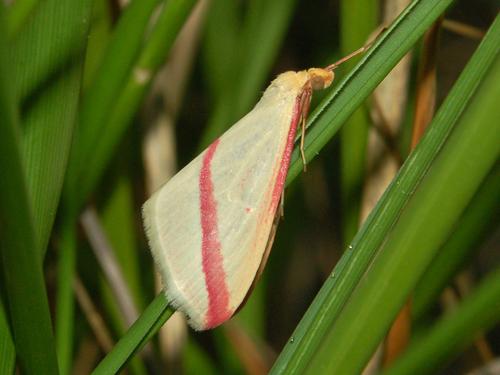
You might spot Vestal, Collared Dove, and Common Blackbird.
View guide →

Andalusia, ES
Doñana National Park
You might spot Green Hairstreak, Natterjack Toad, and Lobed Argiope.
View guide →
Frequently asked questions
Can we require every student to install an app?
No, you shouldn't need to. Follow school policy and give everyone an equal way to take part without a personal device, account or purchase; a paper mission plus one shared adult device running Snappit covers the same observation task.
How many observations should students aim for?
Around three detailed observations is a good starting plan. Pick a number you can actually discuss in the time you have, and adjust for age, access, travel and the group.
What if an app and an exhibit sign disagree?
Go with "uncertain," keep the observation and ask staff if you can. Photo tools sometimes suggest a related species, and an exhibit may hold more than one species. Never base a safety decision on an unchecked match.
Do we need an app to make the trip educational?
No. A good question, careful watching and a discussion can carry a trip on paper alone. An app like Snappit earns its place when it powers a specific activity, such as a zoo checklist mission, without hogging the group's attention or leaving anyone out.