

- animal identification app
- German
- multilingual families
- nature apps for kids
- wildlife
- Deutschland
Best Animal Identification Apps for German Speakers (2026)
The best animal identification apps for German-speaking families: Snappit, Seek, Merlin, iNaturalist and more, with German settings, offline prep and walk tips.
Your kid spots a squirrel in a Munich park and asks, "Wie heißt das?" A good animal identification app for German speakers should answer in a way your child can follow: German menus, German species names where they exist, and enough detail to compare the suggestion with what you really saw.
Quick picks: Snappit for families who want kids to collect and learn from their finds, Seek for a simple account-free walk, Merlin for birds and birdsong, and iNaturalist when you want other naturalists to review your observations. Each one does a different job, so choose by the outing you have in mind.
How to choose a German-language animal ID app
Here's the thing most parents don't realize: the interface, the species names and the educational text are three separate layers. A German menu doesn't mean every animal has a German common name or that every description is translated. Test it with an animal you already know before you rely on it for a class trip.
| Your priority | Start with | What to check |
|---|---|---|
| A kid's nature collection | Snappit | German screens on your platform, collection features and upgrade options |
| A walk without a public account | Seek | German display on your phone and what stays on the device |
| Bird photos and songs | Merlin Bird ID | German names, destination setup and regional Sound ID coverage |
| A record other naturalists can review | iNaturalist | Name preferences, posting visibility and account setup |
| A local Observation.org project | ObsIdentify | Current coverage and your project's instructions |
| Plants you meet along the way | Pl@ntNet | German names and the relevant flora; it's a plant specialist |
Give each app a three-step test: identify one clear photo, open the species page, and find the saved observation again. Let your kid do the tapping. If the answer stops at a broad group like "beetle," that's an honest result, so keep it.
Browse our animal identification guide to compare visible clues, and switch to the bird guide when beaks, feathers and calls take over.
Explore animals and the clues that identify them
Explore the field guide →









The best animal identification apps, compared

Snappit: best for kids building a nature collection
Snappit in German turns a family walk into a collecting adventure. Snap a blackbird, a red squirrel or a ladybug, and Snappit identifies it and adds a card to your kid's collection, with achievements and adventures to keep them coming back. One app covers animals, insects, birds, plants, fungi and more, and the facts are short enough for a first grader. The official iOS listing lists German, English, Japanese and Spanish, which makes it a natural fit for bilingual homes.
It's built for kids roughly 4 to 10 exploring with a parent, with no ads, no chat and no public feed, so your family's finds stay private. Snappit is free to download with free identifications every day and an optional upgrade for unlimited snaps. Get it on Android or iOS; German is listed on iOS, so check the screens you need on your platform. As with any app, treat the name as a suggestion and reach for a field guide when a find is tricky.
Seek by iNaturalist: best simple starting point
Seek is free, needs no account and gives instant camera suggestions, badges and challenges. iNaturalist's comparison of Seek and iNaturalist says Seek can work without an internet connection, and observations stay on the device in account-free mode.
That makes it a great walk companion. Check the German labels in your installed version. Seek's suggestions are automated and aren't reviewed by the community just because you saved them. Signing in and sharing are optional, so look at the settings before you switch them on.
iNaturalist: best for community review and bilingual names
iNaturalist is ideal for a school garden record or a family biodiversity project where you upload evidence and discuss identifications. Reviewers may refine your suggestion, disagree or leave it open, and replies won't always be in German.
Its common-name settings let you pick up to three name lexicons on the website, and the mobile apps show them too. Choose German plus English if that helps. A name shows up only when that lexicon has one.
iNaturalist and Seek are free to use. For a child under 13, follow the parent or guardian account procedure, and check photo and location visibility before posting. Keep faces, school details and home addresses out of it.
Merlin Bird ID: best for bird photos and songs
Merlin is a free bird specialist from the Cornell Lab, and it's the one to pair with Snappit when your kid wants to know who's singing. Choose German names where available, and check the regional coverage information for Sound ID. Switching to German doesn't add species to sound recognition.
Before a trip, download your destination's birds under My Offline Birds and set your destination ahead of time. Sound ID works separately from those bird packs. Treat a sound match as a clue, then listen again and look for the bird.
ObsIdentify: best for local citizen-science projects
Observation International points new observers to ObsIdentify, and its 2024 annual report documents activity in Germany and the German-speaking region. That makes it worth a look for a local project.
Ask the organizer which app and submission steps the project uses, and check region, language, account and connection requirements before you go.
Pl@ntNet: the plant sidekick
Animal walks always turn into "What's this flower?" Pl@ntNet's German getting-started guide covers its free Android, iOS and web options. It's a plant specialist, so it works alongside an animal app.
Its offline mode documentation explains downloading an embedded model and optional species info; the offline model is more limited than the online one. Compare leaves, flowers and growth form with our plant guide.
Plan a nature walk in Germany, Austria or Switzerland

Start with one all-round app and add a specialist only when you need it. For a family walk, Snappit plus a notebook covers most finds. For a birding morning, add Merlin. A school project may require iNaturalist or whatever the teacher picked.
Before you leave
- Open the app in German and test it with a familiar animal.
- Download any offline content, set your destination, and test the features you need with the connection off.
- Charge the phone, check storage, and pack a small German field guide if you're after particular animals.
- Decide who's in charge of photos and whether anything will be shared publicly.
On the trail
Photograph the whole animal, then a helpful detail like the tail or wing markings, from the same safe spot. Note the date, rough size, habitat and what it was doing. Keep the original photo if you crop a copy.
If two apps disagree, compare their suggestions with your notes; two apps agreeing isn't proof either. Alpine wildlife, young animals, distant shots and look-alike insects may need a regional guide or an experienced naturalist. "Unknown" or a broader group is a perfectly good entry.
Do a short practice walk in a nearby park before a big hike. Pick venues by access, opening hours and facilities, stay on permitted paths, and give animals plenty of space.
Find parks for a family wildlife walk
Spain, ES
Jardín del Turia
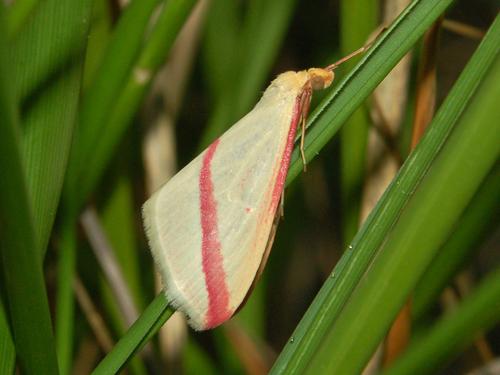
You might spot Vestal, Collared Dove, and Common Blackbird.
View guide →

Andalusia, ES
Doñana National Park
You might spot Green Hairstreak, Natterjack Toad, and Lobed Argiope.
View guide →
Keep a bilingual nature journal

In German–English homes, write the German, English and scientific names side by side once you're confident of the species. Use established common names rather than word-for-word translations.
| German name | English name | Scientific name |
|---|---|---|
| Amsel | Eurasian blackbird | Turdus merula |
| Kohlmeise | Great tit | Parus major |
After the walk, pick one find, maybe a card from your Snappit collection. Ask your kid to describe one feature in German and then in English if they feel like it. Add the place, the date, a drawing and a question for next time. Not sure of the ID? Write the name with a question mark and note what you'd need to confirm it.
Family dialect words belong in the journal too, especially in Austria and German-speaking Switzerland. Scientific names help you match the same species across books and apps. On holiday, check coverage for your destination again, since the same language setting won't always mean the same identification support.
Frequently asked questions
Which app should a German-speaking family try first?
For kids, start with Snappit: it lists German on iOS and turns each find into a collectible card. Try Seek for an account-free walk, Merlin for birds, and iNaturalist when you want community review.
Can these apps identify every Alpine animal?
No app can. Coverage varies by species and photo, so keep habitat and date notes and ask a regional expert about tricky finds.
Does a German interface mean every animal has a German name?
No. Menu translations and species-name databases are separate, so sometimes a scientific name or a broader group is the best result available.
Can the whole family use an app offline?
It depends on the app. Seek supports offline use, Merlin has offline bird packs, and Pl@ntNet offers an embedded model. Test Snappit and ObsIdentify with the connection off before you go, or snap photos now and identify them once you're back online.