

- spider identification app
- identify spiders by photo
- arachnids
- nature apps for kids
- wildlife
Best Spider Identification Apps in 2026 for Curious Kids
The best spider identification apps in 2026: Snappit, Seek, iNaturalist, Google Lens and Picture Insect compared, plus photo tips for safe spider ID.
Your kid spots a dew-covered web on the porch railing and freezes. "Who lives there?" A good spider identification app turns that moment into a mini nature lesson: a likely name, a closer look at those eight legs, and a find worth remembering.
Our quick picks: Snappit is the best spider app for kids, turning each find into a collectible card with facts young readers can follow. Seek is a free, private, no-account option, iNaturalist lets real people review your photo, Google Lens is handy for further reading, and Picture Insect pairs photo ID with an encyclopedia. Don't worry if you end up with "jumping spider" rather than an exact species. That's a real, worthwhile observation.
Which spider ID app fits your question?
On a family walk, a quick private suggestion and a few fun facts are usually plenty. If you want to contribute to a biodiversity record, you'll need clearer photos, location details and a way for others to review them. And if you're worried about a bite, that's a job for medical advice, not an app.
| Tool | Best for | Cost and access | Keep in mind |
|---|---|---|---|
| Snappit | Kids identifying, collecting and learning about spiders | iOS and Android; free with daily identifications and optional upgrade | A great learning lead; use a reviewer for tricky species |
| Seek by iNaturalist | Private family observations | Free; iOS and Android; no account needed for basic use | No community review in the normal private workflow |
| iNaturalist | Observations others can discuss and identify | Free; web, iOS and Android | Community replies aren't guaranteed or instant |
| Google Lens | Visual search for possible names and sources | Free through supported Google apps | A matching picture isn't verification |
| Picture Insect | Photo suggestions and a nature encyclopedia | iOS and Android; optional Premium subscription | Check the paywall and that the result is actually a spider |
Store offers and subscription terms change, so read the purchase screen before starting any trial.
The 5 best spider identification apps

Snappit: best spider identification app for kids
Snappit is the app we built for our own kids, and spiders are some of the most exciting cards in their collections. Snap a photo and Snappit suggests what it is, then turns the find into a collectible card with a rarity tier and short, friendly facts. Suddenly the porch spider has a name, and your kid wants to know how it builds that web and what it catches.
It's one app for everything on the walk: the spider, the beetle under the leaf, the tree it's all happening on. Kids earn badges, complete collections and take on a daily discovery challenge. Back home, the built-in field guide (9,000+ species) and our spider identification guide are great for comparing body parts and habitats. Collections and discovery maps stay private to your family, with no ads, chat or public feed.
Snappit is free to download with free identifications every day, and an optional subscription unlocks unlimited snaps. If you love quizzes or games, the sister quiz, memory and spelling apps are a fun follow-up (you'll pick the topic yourself; photos don't transfer between apps). Get Snappit on iOS or Android. Treat its suggestion as a strong lead, and turn to iNaturalist or a local expert when an exact name really matters.
Seek by iNaturalist: free and private
Seek offers real-time identification, badges and challenges with no account required. Its official comparison with iNaturalist documents offline identification and private records in the ordinary workflow; posting to iNaturalist is optional and changes what's shared.
Happily accept a family or genus suggestion when the photo can't support more. Install it and test the camera at home before your walk.
iNaturalist: a record real people can review
iNaturalist lets you post an observation and get identifications from the community. Add several photos of the same spider to one observation, with the right date and location. Replies depend on who sees it, and "Research Grade" is a data status, not a safety rating.
Posted observations are publicly viewable. Location privacy can obscure coordinates but doesn't make the whole record private, so skip your child's name and recognizable home backgrounds. Kids under 13 need the parental consent process. The new iPhone app supports in-camera offline suggestions; test your installed version, since iNaturalist Classic and Android may differ. Uploads and replies need a connection.
Google Lens: a quick route to more reading
Google Lens searches using your photo and can point you to candidate names or a museum page. Open the source and compare geography and visible features rather than picking the closest thumbnail. It needs a connection, and a visual match on its own doesn't confirm a species.
Picture Insect: check the result and the paywall
Picture Insect offers photo identification and an encyclopedia. Its FAQ describes Premium subscriptions and how to report a wrong result. Fun fact for kids: spiders aren't insects, they're arachnids, so check that the suggestion really is a spider. Look at the subscription screen to see what your regional offer includes, and don't treat any danger label as medical guidance.
How to photograph a spider (without touching it)

First, the one safety rule: keep kids' hands away from unfamiliar spiders, don't touch or trap them, and leave webs intact. If someone may have been bitten or feels unwell, contact local medical services or a poison information service right away rather than waiting on an app.
- Get the whole spider. Body and legs in frame, focus on the spider, phone steady. A sharp photo beats extreme digital zoom.
- Add a side view only if it's easy. Proportions can show up better from the side, but never turn the spider over or reach into its hiding spot.
- Note the setting. Region, date, indoors or out, and whether it was on a web, wall, leaf or the ground.
- Estimate size from what's already there. Mention a nearby fixed object, and say whether you mean body length or leg span. No coins or fingers alongside.
- Snap the web separately. Web and habitat add great context, though an empty web alone rarely reveals its builder.
How to check a spider ID like a naturalist

Start with the basics. The Australian Museum's identification guide describes spiders as having eight legs, no antennae and two main body regions joined by a narrow waist. Harvestmen also have eight legs, but their body is one compact shape. Kids love spotting that difference.
Then work through these:
- Group first. Does the suggestion fit the body proportions and the web? If you're not even sure it's a spider, try the invertebrate guide.
- Check the region. A spider from another continent can look a lot like yours. Range maps help but don't settle it alone.
- Spot what's missing. Juveniles, distant shots and hidden body parts can block a precise answer. Some species can only be told apart under a microscope.
- Keep the broader name. "Possible orb-weaver" is a great answer. Save the original photo and ask the community or a museum if you want more.
One myth worth busting: a dark mark doesn't make a spider a brown recluse. The Burke Museum explains why the violin pattern is not enough. Two apps agreeing isn't necessarily independent proof either, since they may use similar photos and models. And no app can identify a spider from a skin mark.
Compare spider body shapes in the field guide
Explore the field guide →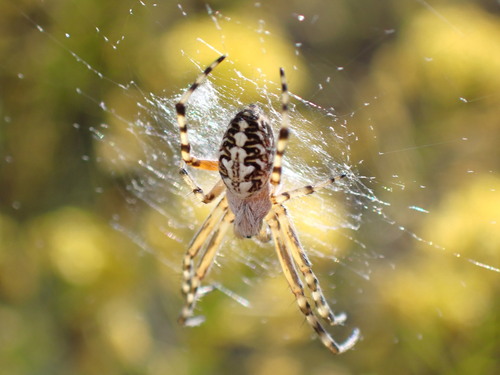











A 10-minute spider walk for the family

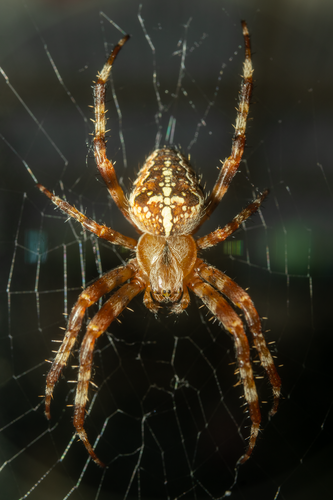
Pick a familiar park path or a corner of your yard, ideally on a dewy morning when webs sparkle. Spend ten minutes scanning plants from the path, leaving logs and hidey-holes alone. You might find a web, a spider, or neither, and it's still a great outing.
Ask three questions: What can we see? What do we think it is? What don't we know yet? Your kid can sketch the web's shape, note where it was and whether anyone was home. If a spider's visible, snap it in Snappit and add it to the collection. Later, compare the drawing, the photo and the suggested group, keeping guesses and observations separate in a family nature journal.
Take photos and drawings home, not spiders. One carefully described observation is a win, even if the species stays a mystery.
Parks for a gentle spider-spotting walk
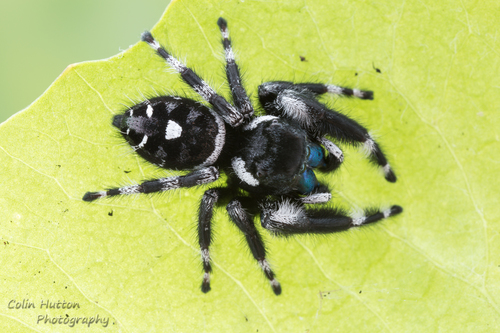
California, US
Meadows Park
You might spot Bold Jumping Spider and Marbled Cellar Spider.
View guide →
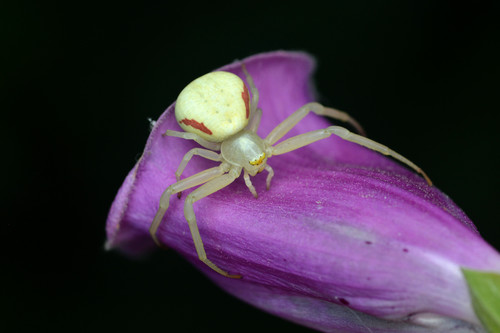
Ontario, CA
Memorial Park
You might spot Goldenrod Crab Spider and Running Crab Spiders.
View guide →
Frequently asked questions
What is the best free spider identification app?
Seek is the best free option for private observations, and iNaturalist adds free community review if you're comfortable sharing. Snappit is free to download with free identifications every day and is our top pick for kids who love collecting their finds.
Can an app tell me if a spider is dangerous?
No. An identification suggestion isn't a medical risk assessment. Use apps for learning, and get local professional help for a bite or a spider that needs removing.
Why do two apps give different names?
They use different models, reference photos and geographic data, and your photo may lack the detail needed to separate similar species. Stick with the broader group, add more views of the same spider, and let a reviewer explain.
Can I identify a spider offline?
Yes, with Seek, which supports offline identification. The new iNaturalist iPhone app also offers offline camera suggestions, while community replies need a connection. Test the exact app and task you need before your walk.
Which spider app is best for young kids?
Snappit is our pick for young kids, with collectible cards, friendly facts and a private family collection. Seek's no-account setup is another good option. Either way, let a grown-up handle permissions, purchases and any public posting.